
More efficient control of your building
We have expanded the functionality of LINDINSPECT so you can operate your building more effectively, gain insights into issues that may not be working as intended, and optimize it further.
Just as a pilot checks the instruments before takeoff, the property owner and operations technician should be able to see the status of the entire system at a glance and quickly identify faults. LINDINSPECT+ brings together measured values, setpoints, and operating modes from the rooms in system-level overviews, making deviations immediately visible.
In addition to the overviews, there are new tests that detect faults in heating and cooling systems, alarms that identify incorrect settings and faulty sensors, smarter control, and analyses of how the premises are actually used.
- Faster
- Easier
- More energy-efficient
- Better structure
- Smarter alarms
- Better insight into space utilization
New system overviews
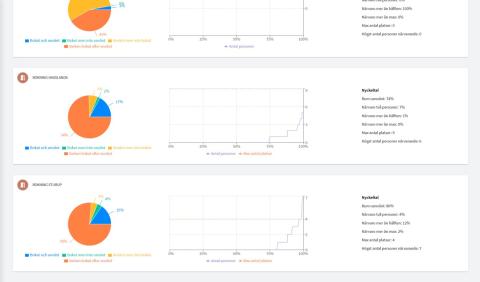
Each overview shows the distribution of measured values and settings for all rooms in a system. You can immediately see how the system is operating, which rooms stand out, and whether anything has changed since last week.
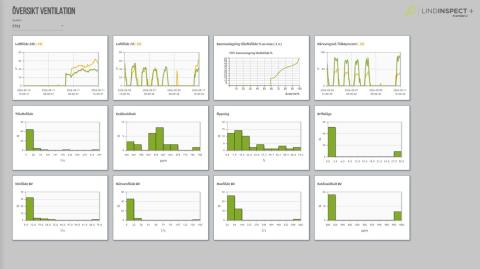
Ventilation
Answers
- How does the fan operate, around the clock or based on occupancy?
- Is it operating differently from last week?
- Is the pressure sufficient?
- Are the correct airflow levels and carbon dioxide setpoint being used?
Shows
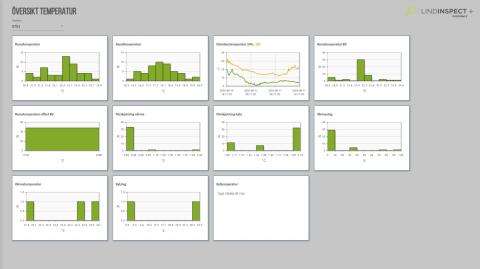
Temperatur
Answers
- What is the temperature in the premises?
- Is the duct temperature acceptable?
- How many units are calling for heat, and which heat the most?
- How warm are the radiators?
- Where is cooling being requested?
Shows
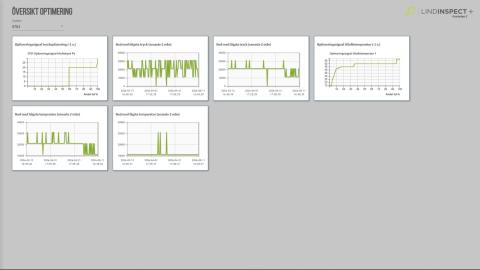
Optimization
Answers
- Is pressure optimization working?
- Which nodes limit pressure optimization?
- Is supply-air temperature optimization working?
- Where is the temperature highest and where is it lowest?
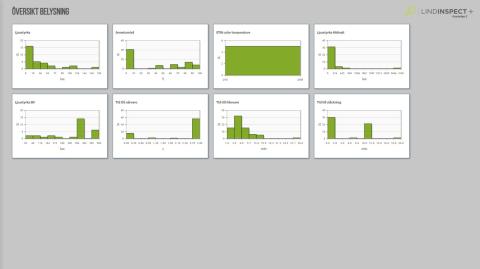
Lighting control
Shows
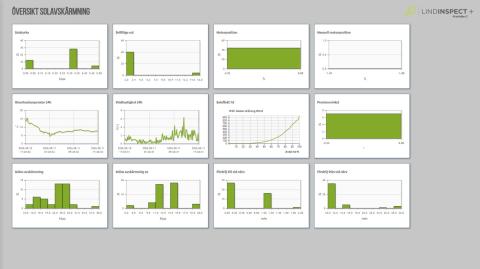
Solar shading
Shows
Midnight inspection during the day
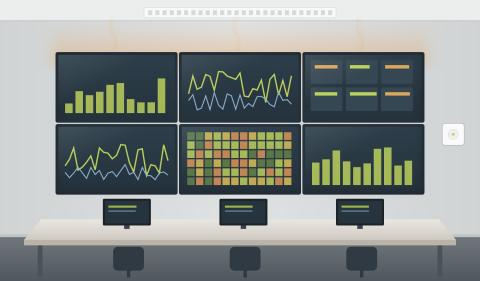
See the system status at midnight without being on site at night. The overview identifies ventilation, lighting control, and solar shading that remain active when the building should be at rest.
Shows
More efficient control
Operation is adapted to the weather and the actual demand in the premises, so energy is not used when it is not needed.
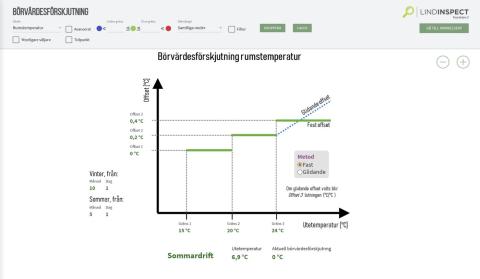
Outdoor temperature compensation
The room-temperature setpoint is offset according to the outdoor temperature, for example for summer operation. The offset is configured in steps and can be fixed or sliding.
Outdoor temperature is obtained from
Demand-controlled start/stop
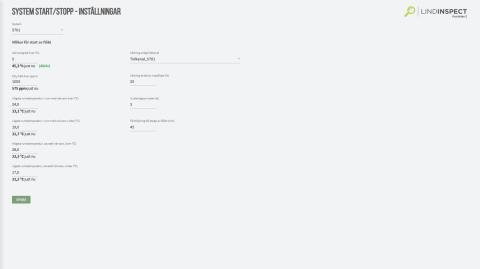
The air handling unit starts when the premises require it instead of at fixed times.
Start conditions
Purge ventilation is controlled by
New analysis tools for heating and cooling
The tests actively control the system and measure how the rooms respond. This identifies faults that cannot be seen in normal measured values.
Radiator valve actuator test
A smart step-response test: how much does the temperature increase when the valve is first closed and then fully opened?
Identifies rooms and radiators where
- the valve is stuck
- the valve actuator has been removed
Also identifies rooms with
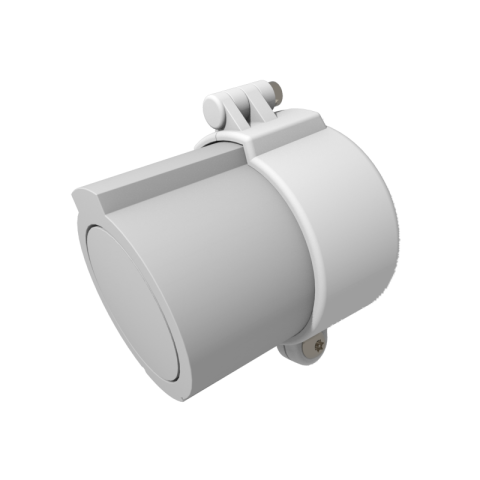
VAL valve actuator lock
Do you have problems with valve actuators being removed? VAL is our valve actuator lock.
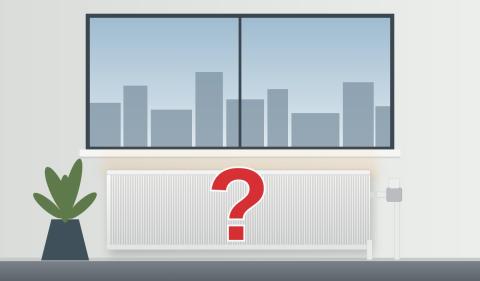
Thermostat/internal-load check
A step-response test: how much does the temperature increase if cooling is switched off?
Identifies rooms and radiators with
- thermostats with a higher setpoint than the cooling P-band setting, where heating and cooling work against each other
- internal loads that heat the room unnecessarily
Also identifies rooms with
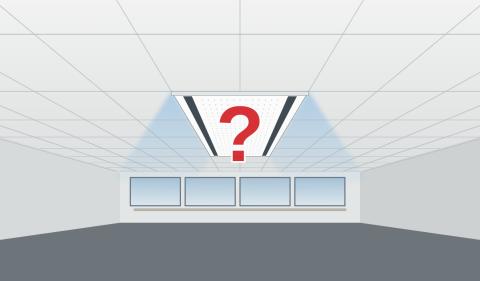
Cooling valve check
A check of cooling-valve operation that shows at individual-unit level whether the chilled beam is actually cooling.
Identifies chilled beams where
- the valve is stuck in the open or closed position
- the valve actuator has stopped working
OVK-test
Support for mandatory ventilation inspection directly from the system, with the airflow in every room collected in one place.
Test the airflow in all rooms
Run the ventilation at known airflow rates and compare measured airflow with the expected values. The result is compiled in a histogram.
Two test variants
An OVK report is under development.
New alarms that identify more faults
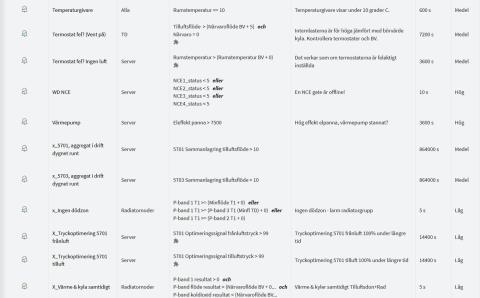
The alarms are based on relationships between multiple values, not just threshold values. Conditions, delay and priority are configured for each alarm.
Smarter alarms that identify, among other things:
- Incorrectly set thermostats
- Faulty occupancy detectors and sensors
- Air handling units operating around the clock
- No dead zone configured
- Optimization that is not working
How are the premises used?
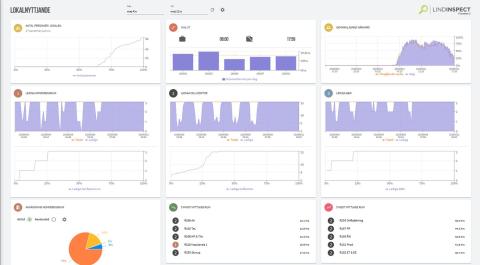
Occupancy detectors and carbon dioxide sensors in the rooms show how the premises are actually used. This provides a basis for decisions about floor space, meeting rooms and operating hours. With a connection to the tenant’s Active Directory, bookings can be correlated with actual use.
Space-utilization overview
Shows
PIR occupancy analysis
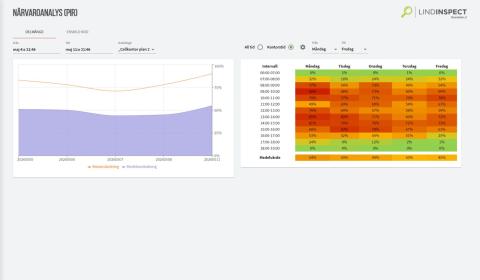
Analyze occupancy for a freely defined subset of rooms, such as a floor, tenant or room type.
You select
Room analysis with people counting
Compare bookings with actual occupancy (requires an Active Directory connection) and see how many people are in the room. Are more small meeting rooms needed? People counting is performed using the room’s CO2 sensor.
Shows
Accuracy
±15% or ±1 person
What is the difference between LINDINSPECT and LINDINSPECT+?
LINDINSPECT gives you an overview, control, and the ability to monitor your system. LINDINSPECT+ builds on this with new system overviews, smarter analysis tools, more efficient control, and expanded capabilities for detecting faults and optimizing operation.
Compare the features below. Green indicators show new or enhanced capabilities in LINDINSPECT+. Features available in both versions are shown without a special indicator.
Overview and visualization
| Feature | LINDINSPECT | LINDINSPECT+ |
|---|---|---|
| Dashboard and operating overview | Included | Included |
| Floor-plan views and building visualization | Included | Included |
| Overview of measured values and setpoints | Display of measured values and setpoints | Enhanced overview |
| System overviews for ventilation and temperature | Existing visualizations | New consolidated system overviews |
| Overviews for lighting control and solar shading | Existing visualizations | New consolidated system overviews |
Analysis and monitoring
| Feature | LINDINSPECT | LINDINSPECT+ |
|---|---|---|
| Charts, histograms, and historical values | Included | Included |
| Table view and changes to multiple settings | Included | Included |
| Midnight inspection | Monitoring of operating data | New consolidated overview |
| Radiator test and thermostat check | Access to relevant operating values | New functional tests |
| Cooling valve check | Access to relevant operating values | New functional test |
| OVK-test | Monitoring of airflow | New OVK test |
Control and alarms
| Feature | LINDINSPECT | LINDINSPECT+ |
|---|---|---|
| Control and settings | Included | Included |
| Time channels and operating reports | Included | Included |
| Outdoor temperature compensation | Existing control capabilities | New control function |
| Demand-controlled start/stop | Existing control capabilities | New control function |
| Alarm management | Existing alarm management | Enhanced alarm management |
| Advanced alarms based on multiple measured values | Existing alarm functions | New smart alarms |
Space utilization
| Feature | LINDINSPECT | LINDINSPECT+ |
|---|---|---|
| Occupancy data and monitoring | Access to occupancy data | Enhanced occupancy analysis |
| Space-utilization analysis | Monitoring of existing data | New space-utilization overviews |
| Room analysis and people counting | Access to relevant data | Enhanced room analysis and people counting |
The comparison describes features and further developments. Available features depend on the system equipment, configuration, and integrations.
Would you like to see LINDINSPECT+ in your building?
Contact our knowledgeable engineers and we will be happy to give you a demonstration. We can also activate a trial period on your server.